HubSpot UNBOUND 2026: What the New AI, CRM, and Data Updates Mean for Your Business

Every year, HubSpot announces new features. This year felt different.
Not because of the AI headlines. You've heard those everywhere. What mattered most at HubSpot UNBOUND 2026 was what changed underneath the platform: the data model, APIs, workflows, and infrastructure HubSpot is building to support AI at scale.
For B2B companies with long sales cycles, ERP dependencies, complex quoting processes, and customer data spread across multiple systems, those structural changes matter more than another flashy AI feature.
Here's the context that makes all of this relevant: 90% of companies are now using AI in some capacity. Only 6% are getting measurable results from it. That gap isn't just a technology problem. It's a foundation problem.
And a significant portion of HubSpot's UNBOUND 2026 announcements point toward the same conclusion: AI is only as useful as the CRM data, processes, and systems underneath it.
What Were the Biggest HubSpot Updates at UNBOUND 2026?
For B2B and industrial companies, the most important HubSpot updates from UNBOUND 2026 fall into four areas:
- A more flexible CRM data model and workflow builder
- Expanded APIs and infrastructure for AI agents and integrations
- New HubSpot AI agents and automation capabilities
- Sales tools designed to improve CRM adoption and seller productivity
The common thread is infrastructure. HubSpot is building a platform that can connect more systems, give AI more context, and better support complex B2B operations.
But taking advantage of those capabilities requires the right foundation first.
The Data Model Is Getting More Flexible. Finally.
How Is HubSpot's Data Model Becoming More Flexible?
For years, one of the quiet frustrations with HubSpot has been object-level rigidity. Workflows were tied to specific objects. If you wanted a contact event to trigger actions on a related deal, or a company update to cascade across associated records, you were stitching workarounds together and hoping they held.
HubSpot's new workflow builder in Agent Hub changes that. It's now object-agnostic. A single trigger can take actions across multiple objects without requiring separate workflows for each. For manufacturers and distributors with complex deal structures — where one opportunity might touch a parent company, multiple contacts, a custom quoting object, and several line items — this is meaningful. It's not a convenience update. It's a structural one that makes HubSpot closer to how your business actually operates.
The custom events API extends this further. You can now trigger workflows from external system events without needing to designate an object type for enrollment. If you're pushing data from an ERP or a configure-price-quote (CPQ) tool, that's a real step toward treating HubSpot as the system of record rather than the system that's perpetually catching up.
HubSQL (currently in private beta) rounds out the picture on the reporting side. More robust data pulls, cross-object reporting, directly inside HubSpot — without exporting to a data warehouse or building a separate reporting layer. For teams that have been approximating pipeline data because native reporting couldn't get there, this closes a gap that's caused real friction.
239 New Endpoints and What They Actually Signal
Why Do HubSpot's 239 New API Endpoints Matter?
Here's a number that didn't make the main stage highlights but should have: That's the number of new and updated API endpoints HubSpot released as part of the 2026-09 date-based API version.
HubSpot is systematically rebuilding its backend to support what it's calling the Agentic Customer Platform — and to do that, it had to dramatically expand the endpoint surface area. 239 API endpoints were created or updated as part of the 2026-09 date-based API version.
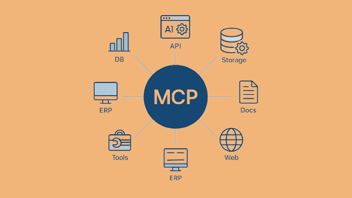
The goal is to make the platform readable by external AI agents, large language models, and new toolsets like the Model Context Protocol (MCP), which allows AI systems to access and act on CRM data in real time.
HubSpot is also committed to full parity between API endpoints and everything you can do within the UI. That commitment matters. It means the platform is being designed for programmatic access as a priority, not an afterthought.
For companies that need HubSpot to talk to other systems — and in manufacturing and industrial, that's almost everyone — this is the foundation that makes deeper integration possible without the usual ceiling.
Agents Are Real. The Confusion Around Them Is Also Real.
When Should You Use a HubSpot AI Agent vs. a Workflow?
HubSpot is leaning hard into agentic AI this year — prospecting agents built directly into record pages, nurture agents that personalize every email for every recipient within the same workflow, a revenue agent with practical applications for invoice follow-up and internal sales management, and a Breeze assistant that can interact with other agents directly. The capability is expanding fast.
But the question not many thought to ask at the conference is the one your team needs to answer for every automation decision going forward: when do you use an agent, and when do you use a workflow?
It's not a philosophical question. It has real cost implications. Agents consume HubSpot AI credits. Workflows don't. Agents are non-deterministic — they reason, adapt, and make judgment calls, which is powerful in the right context and unpredictable in the wrong one. Workflows are deterministic — they follow defined rules, which makes them auditable, testable, and far easier to hand off to a team that isn't embedded in the platform daily.
There was one metaphor related to this from HubSpot’s Founder and CTO, Dharmesh Shah, that resonated: don't use a fire hose to water a house plant. The most complex AI model isn't the right tool for every task. A nurture agent personalizing outreach across thousands of varied prospects is a good use of that capability. The same agent running sequences for a list of 200 plant managers who all care about delivery lead times and minimum order quantities is probably overkill — and it's costing you credits a workflow would handle for free.
The smarter framing: use agents where variability and judgment are the point. Use workflows where consistency and auditability are the point. Don't let the novelty of agents push you toward replacing automation that's already working.
HubSpot AI Agents vs. HubSpot Workflows |
|
|---|---|
|
HubSpot AI Agents |
HubSpot Workflows |
|
Best when variability and judgment are required |
Best when rules and consistency are required |
|
Can reason and adapt based on context |
Follow predefined logic |
|
Non-deterministic |
Deterministic |
|
Consume HubSpot AI credits |
Do not consume AI credits |
|
Useful for highly personalized or variable tasks |
Easier to test, audit, and hand off |
The practical rule: use agents where variability and judgment are the point. Use workflows where consistency and auditability are the point.
The Seller Experience Is Changing Too
How Is HubSpot Changing the Sales Experience?
The agentic push isn't just happening at the infrastructure level. It's showing up in the day-to-day selling experience in ways that are practical and worth noting.
Sales methodologies like BANT can now be added directly to deal records. If budget is missing from a deal, HubSpot will surface that gap during next meeting prep automatically. Suggested CRM property updates appear in the email extension, reducing the friction of keeping records current without requiring reps to log into the platform after every interaction.
The Contracts object is now available without requiring quotes or Revenue Hub, and renewal automation is built in. For companies managing recurring business or long-term service agreements, that's a workflow that previously lived in spreadsheets or tribal knowledge.
The mobile experience is also getting a serious update, with a focus on field reps — the people who are on job sites, in warehouses, and at customer facilities rather than at a desk. Map visualization and expanded app card customization are on the roadmap. The direction is clear: HubSpot is trying to meet industrial sellers where they actually work, not where a software company assumes they work.
Why CRM Data Quality Matters More as HubSpot Adds AI
Here's the underlying warning behind all of these HubSpot AI updates:
AI cannot compensate for bad CRM data. It can make the consequences of bad data happen faster.
Every AI feature HubSpot released, including agents, suggested updates, meeting prep, and pipeline intelligence, draws on your CRM data.
If that data is incomplete, inconsistent, or poorly structured, the AI doesn't just underperform.
It surfaces the wrong next step. It drafts follow-up copy based on a deal stage nobody has touched in four months. It tells your rep a prospect is warm when the last real interaction was a year ago.
The companies getting measurable results from AI aren't necessarily the ones that moved fastest on adoption. They're the ones that did the unglamorous work first:
- Clean contact and company records
- Consistent property standards
- Accurate lifecycle and deal stages
- Clear data ownership
- Reliable integrations
- Processes that reflect how teams actually work
- CRM adoption across the people responsible for maintaining the data
If your CRM is half-adopted, AI makes that more visible, not less.
The platform will work with whatever context it has. That means CRM data quality is no longer just a back-office concern. It's a revenue concern.
What Should Companies Do After HubSpot UNBOUND 2026?
If you're an operations or sales leader looking at everything HubSpot announced and feeling behind, don't start by evaluating every new AI agent.
Start with a more grounding question:
Is our CRM data in good enough shape to give AI useful context?
If the answer is no, or even "sort of," start there.
Universal record, suggested CRM updates, BANT tracking on deal records, meeting prep that pulls from live deal data: all of these features are only as good as the information underneath them.
Deploying AI on a poorly structured CRM doesn't automatically accelerate your sales process. It can accelerate your mistakes.
Before expanding your use of HubSpot AI, evaluate:
- Data: Is the information accurate, complete, and consistently structured?
- Processes: Does HubSpot reflect how sales and service actually happen?
- Integrations: Are your CRM, ERP, quoting, and other critical systems exchanging the right information?
- Adoption: Are the people responsible for the data actually using the system?
- Automation: Are existing workflows working before you replace or supplement them with agents?
HubSpot has done significant structural work: new endpoints, object-agnostic workflows, API parity, and an expanding agent ecosystem.
The question is whether your CRM is ready to support it. That's the work worth doing now.
Start with the foundation. Then add the intelligence.
Frequently Asked Questions About HubSpot UNBOUND 2026 and AI
What were the biggest HubSpot updates at UNBOUND 2026?
For industrial and B2B companies, Evenbound sees the most significant HubSpot UNBOUND 2026 updates as object-agnostic workflows, expanded API capabilities, new AI agents, improvements to seller tools, and continued development of HubSpot's Agentic Customer Platform. Together, these updates make HubSpot better equipped to support complex sales processes, connected systems, and AI-powered operations.
What's the difference between a HubSpot AI agent and a workflow?
A HubSpot workflow follows predefined rules and is best suited for consistent, repeatable automation. AI agents can reason and adapt based on context, making them more useful when a task requires variability, personalization, or judgment. At Evenbound, we recommend choosing based on the job that needs to be done, not simply using an agent because it's the newer technology.
Do HubSpot AI agents replace workflows?
Not necessarily. Workflows remain useful for deterministic, repeatable processes. AI agents make more sense when the task benefits from reasoning or contextual decision-making. The right choice depends on the job the automation needs to perform.
Why does CRM data quality matter for HubSpot AI?
HubSpot's AI tools rely on CRM data for context. Incomplete, outdated, or inconsistently structured data can lead to inaccurate recommendations, poor personalization, and unreliable outputs. That's why Evenbound approaches AI readiness as a CRM foundation problem first: your data, processes, integrations, and team adoption need to be reliable before AI can add meaningful value.
How should industrial companies prepare for HubSpot's new AI capabilities?
Start with the CRM foundation. Clean and structure your data, define reliable processes, improve integrations between HubSpot and systems such as your ERP, and make sure your team is consistently using the CRM before adding more advanced AI capabilities. Evenbound helps industrial companies build that foundation by aligning strategy, people, processes, data, and HubSpot around how the business actually operates.