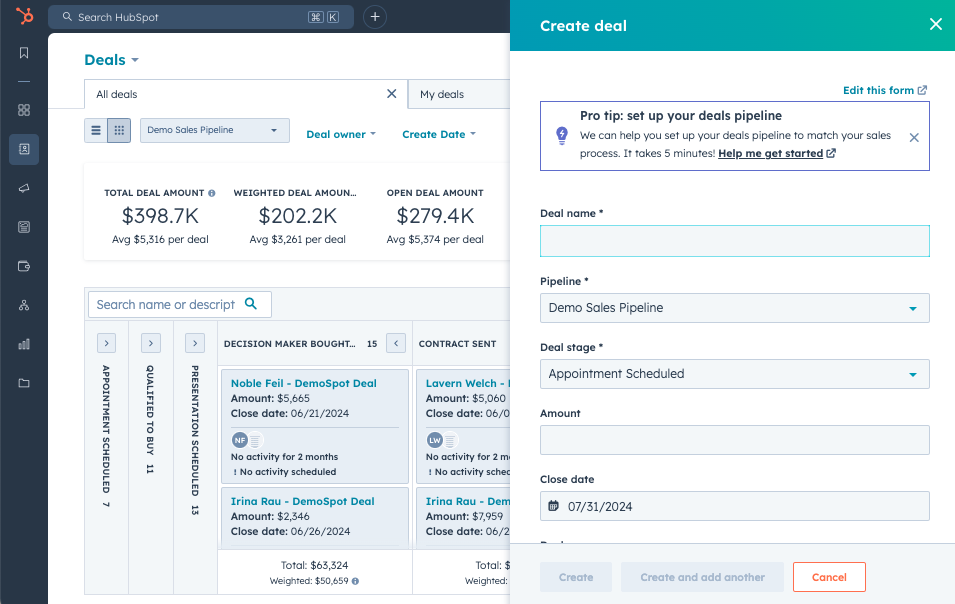
Many industrial companies complete a HubSpot CRM setup and assume the hard part is done.
The portal is live.
The pipelines are built.
Dashboards exist.
Automation is running.
But here’s the uncomfortable truth: A HubSpot CRM setup can be technically “complete” and still quietly undermine revenue.
But HubSpot rarely fails on its own. More often, the issue is configuration.
When your CRM is misaligned with how your business actually sells, reports, and forecasts, it doesn’t just underperform — it costs you money.
Is your HubSpot CRM setup actually built for ROI?
HubSpot CRM setup is the process of configuring pipelines, lifecycle stages, properties, automation, user permissions, and reporting so the CRM reflects how your business actually sells, markets, and forecasts revenue.
A proper HubSpot CRM setup connects data architecture, sales process design, automation workflows, and reporting into a unified revenue system.
What’s the Difference Between HubSpot CRM Setup and HubSpot CRM Implementation?
HubSpot CRM setup refers to configuring the platform’s technical structure — pipelines, properties, lifecycle stages, automation, and reporting.
HubSpot CRM implementation goes further. It includes strategic alignment, sales process design, RevOps planning, ERP integrations, adoption enablement, and long-term governance.
Setup activates the tool.
Implementation aligns it with revenue strategy.
What Are the Hidden Dangers of a Poorly Configured HubSpot CRM Setup?
A poorly configured HubSpot instance doesn’t always break loudly. It fails subtly — and that’s what makes it dangerous.
Here’s what that often looks like:
1. Distorted Reporting
If lifecycle stages are loosely defined or inconsistently applied, marketing and sales may be operating from different definitions of “qualified.” Dashboards may look impressive — but not align with financial reporting.
The result? Leadership decisions based on incomplete or misleading data.
When trust in reporting erodes, so does the CRM’s influence.
2. Unreliable Forecasting
If your deal pipeline doesn’t mirror how your team actually sells (especially in long, multi-stakeholder industrial cycles), forecasting becomes volatile.
Reps start tracking deals outside the system.
Managers manually adjust projections.
Confidence drops.
A HubSpot CRM setup that doesn’t reflect reality can’t produce reliable forecasts.
3. Low Adoption Across Teams
When configuration doesn’t align with workflow, teams adapt by working around the system instead of within it.
- Sales keeps notes elsewhere.
- Marketing compensates with manual processes.
- Service operates in isolation.
- ERP becomes the fallback system.
Over time, HubSpot becomes a reporting tool instead of an operational one.
4. Automation That Scales Confusion
Automation is powerful — but only when built with documented processes.
Without clear architecture, workflows begin to:
- Conflict with each other
- Route leads inconsistently
- Overwrite data unintentionally
- Increase technical debt
Instead of increasing efficiency, automation begins masking structural gaps.
|
The real danger isn’t that HubSpot “doesn’t work.”
It’s that a misconfigured HubSpot CRM setup creates false confidence — and false confidence leads to expensive decisions. |
Quick HubSpot CRM Setup Health Check
Before diving deeper, pressure-test your current setup. Ask yourself:
 Does reporting match financial reality? Is forecasting reliable quarter to quarter? Do sales actively work inside the system? Are lifecycle stages clearly defined and enforced? Are automation workflows documented and reviewed regularly?
If two or more feel uncertain, your HubSpot CRM setup may be undermining ROI.
3 Ways to Assess Whether Your HubSpot CRM Setup Is Costing You Revenue
If you want to determine whether your CRM is built for ROI, start with a practical audit.
What Is a HubSpot CRM Audit?
A HubSpot CRM audit is a structured evaluation of your configuration, data integrity, automation architecture, pipeline alignment, and reporting accuracy to identify risks impacting ROI.
A typical HubSpot audit evaluates:
- Lifecycle stage definitions
- Deal stage alignment
- Property architecture
- Duplicate data risks
- Workflow conflicts
- Reporting consistency
- ERP or quoting integrations
- User adoption patterns
You don’t need to rebuild everything. You need to pressure-test the foundation.
1. Evaluate Your Data Architecture and Reporting Integrity
Start here, because data drives everything.
Ask yourself:
- Can you confidently trace a deal from first touch to closed revenue?
- Are lifecycle stages clearly defined and enforced?
- Do marketing, sales, and leadership define “qualified” the same way?
- Do dashboards align with financial reporting?
- Are there duplicate or legacy properties cluttering reports?
If answers are unclear or debated internally, your HubSpot configuration may not be structurally sound.
When reporting integrity is compromised, ROI becomes impossible to prove — even if revenue is increasing.
2. Assess Whether HubSpot Reflects How You Actually Sell
Many HubSpot CRM implementations focus on activation, not alignment.
Industrial sales cycles are rarely linear. They involve:
- Long buying timelines
- Multiple stakeholders
- Quoting workflows
- ERP integration
- Re-engagement loops
Now ask:
- Does your deal pipeline reflect your real-world sales stages?
- Are reps actively working in HubSpot—or outside it?
- Is forecasting reliable quarter to quarter?
- Are quoting processes integrated or manually duplicated?
- Is ERP data synchronized cleanly, or is it creating duplicates?
If HubSpot doesn’t match how your team sells, adoption declines. And when adoption declines, ROI follows.
Your CRM should adapt to your sales process — not force your team to adapt to the CRM.
3. Review Automation and Workflow Architecture
Automation often accumulates over time without oversight.
To assess risk, ask:
- Are workflows documented and mapped to defined processes?
- Has automation been audited in the last 6–12 months?
- Are lead routing and ownership rules consistent?
- Are there workflows that conflict or override one another?
- Is automation compensating for unclear responsibility or broken processes?
A strong HubSpot CRM setup uses automation to scale efficiency.
A weak one uses automation to patch gaps.
Over time, that difference compounds.
|
Not sure where your HubSpot CRM setup stands? A structured HubSpot audit can surface configuration gaps in under two weeks — before they compound into forecasting errors or missed revenue. |
Why Do Some HubSpot CRM Setups Underperform?
Most CRM underperformance doesn’t stem from lack of effort.
It stems from:
- DIY setup without architectural planning
- Onboarding focused on activation, not long-term structure
- Internal admin turnover
- ERP systems were misused as CRMs prior to implementation
- No RevOps oversight tying strategy and technology together
HubSpot is powerful. But power without structure creates volatility.
And volatility undermines ROI.
How Does HubSpot CRM Setup Impact ROI?
HubSpot ROI is directly tied to configuration quality.
A properly configured HubSpot CRM setup improves ROI by:
- Increasing forecasting accuracy
- Improving sales adoption
- Reducing manual work
- Aligning marketing and sales definitions
- Eliminating data inconsistencies
- Enabling reliable revenue reporting
A poorly configured setup reduces ROI by creating distrust in reporting, volatility in forecasting, and low system adoption.
How to De-Risk HubSpot ROI
If your HubSpot CRM setup is influencing forecasting, marketing spend, sales hiring, or growth planning, it shouldn’t run on assumptions. It should run on clarity.
De-risking your HubSpot CRM setup doesn’t mean starting over. It means pressure-testing what’s already there.
That typically includes:
- A focused configuration audit
- Reviewing data architecture and lifecycle definitions
- Validating that pipelines reflect how you actually sell
- Cleaning up or documenting automation workflows
- Ensuring reporting aligns with revenue reality
- Connecting strategy and technology through RevOps alignment
HubSpot is powerful. But power only delivers ROI when the setup aligns with how your business actually operates.
How to Set Up HubSpot CRM for Revenue Alignment
A revenue-focused HubSpot CRM setup includes:
- Mapping your real-world sales stages before building pipelines
- Defining lifecycle stages with cross-team agreement
- Designing clean property architecture
- Documenting automation before building workflows
- Aligning dashboards to financial reporting
- Establishing RevOps governance
Hint: Most underperforming CRM setups skip steps 1 and 2.
Not Sure Where Your HubSpot CRM Setup Stands?
If you’re questioning reporting accuracy, forecasting reliability, or overall ROI, the next step isn’t rebuilding everything. It’s getting clarity.
At Evenbound, we help industrial teams validate and optimize their HubSpot CRM setup to support sustainable revenue growth—not just surface-level reporting.
If you’d like an objective assessment of your current configuration, we’re happy to pressure-test it with you.
Because when your CRM is built correctly, it becomes more than software.
It becomes infrastructure for serious growth.